KSeF
E-invoices next to the ledger.
Certificate on the company. Inbox to partner to books. Same audit trail as everything else.
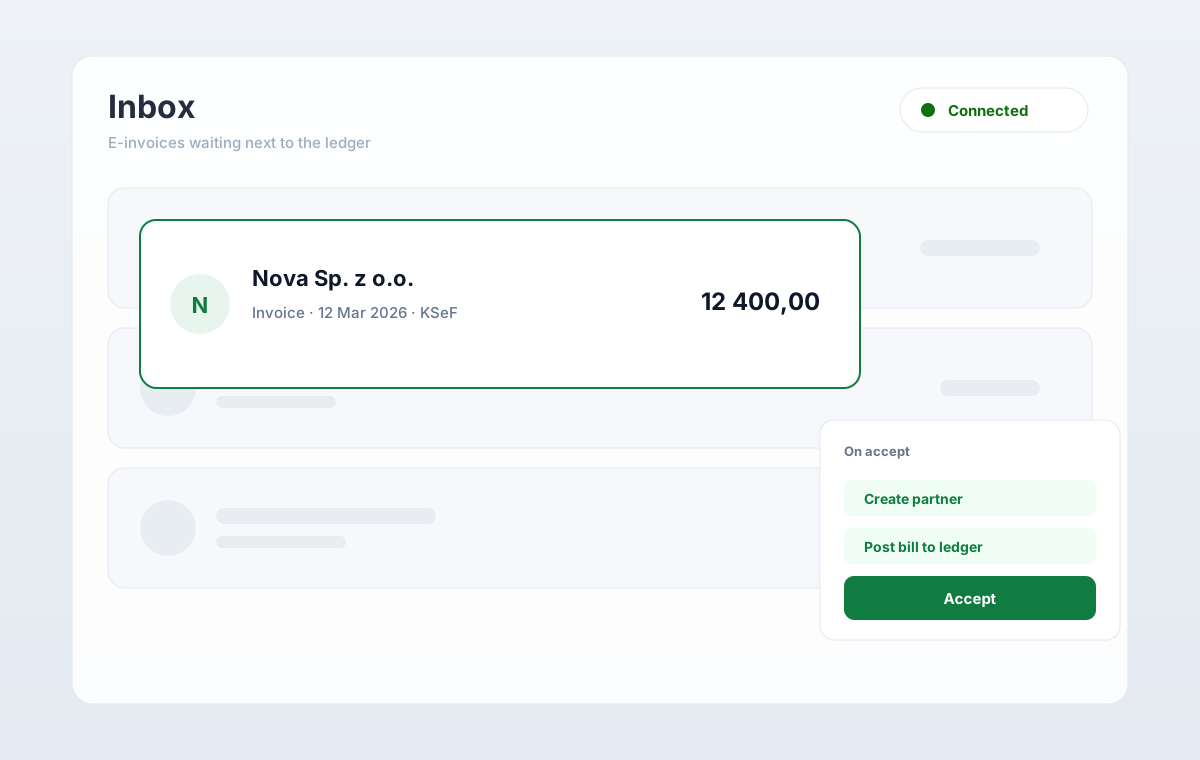
KSeF
KSeF inbox
E-invoices land next to the ledger, not in a second portal.
- Certificate on the company, not a shared practice login
- Inbox → partner → books without retyping
- Same audit trail as sales, bank, and filings
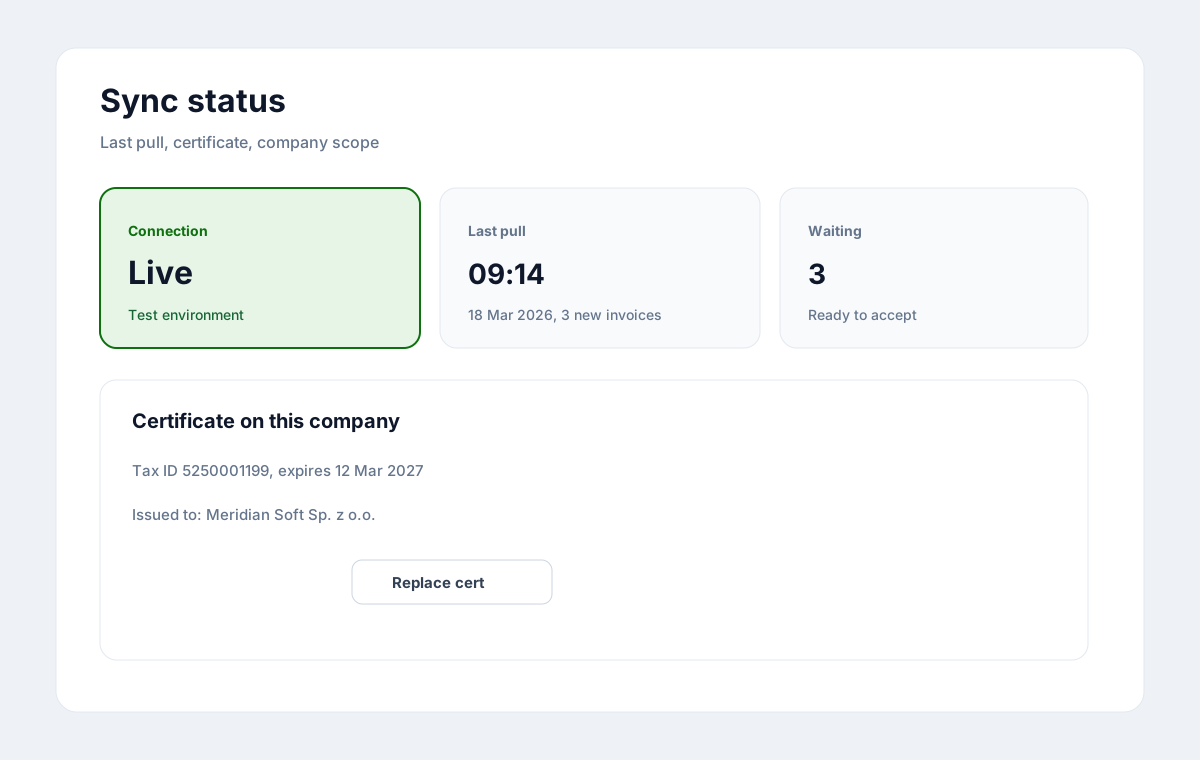
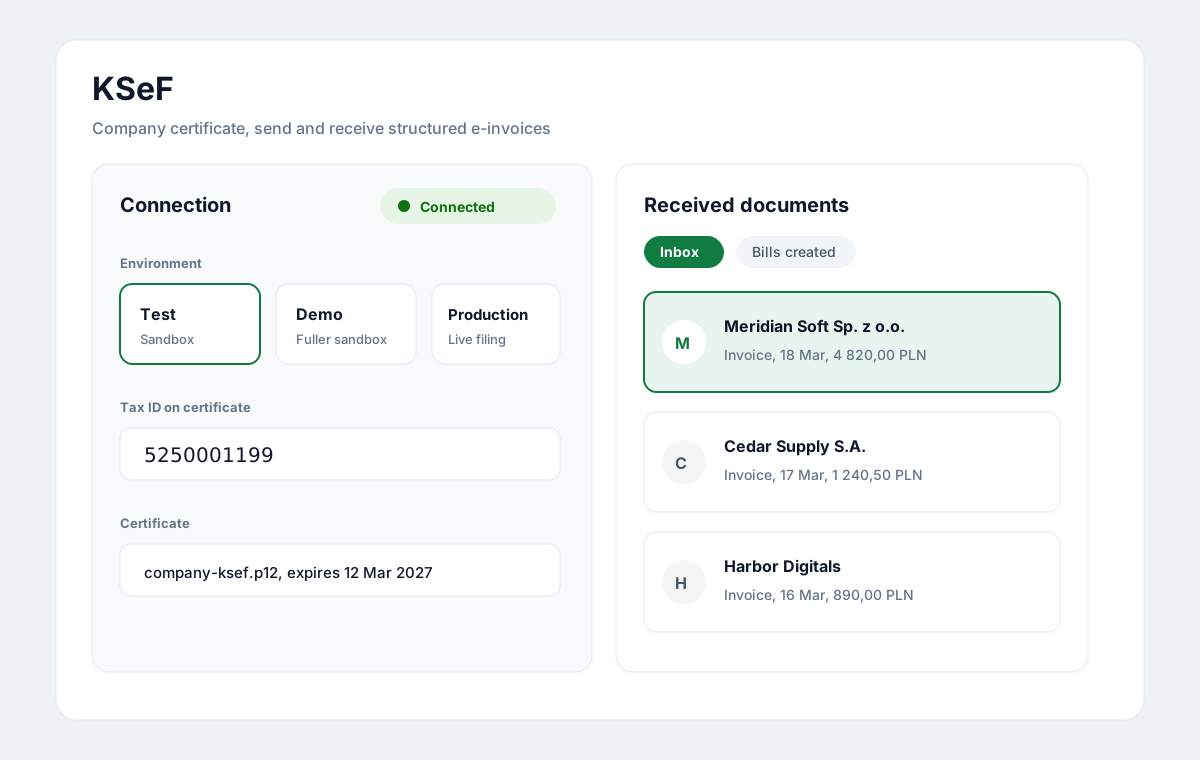
Certificate on the company. Inbox next to the ledger.
How it runs
From certificate to books.
No second portal. The inbox is part of the company ledger.
01
Attach the certificate
Company-scoped credentials. Revoke when the project ends.
02
Pull the inbox
E-invoices land next to purchases, not in a side browser tab.
03
Map the partner
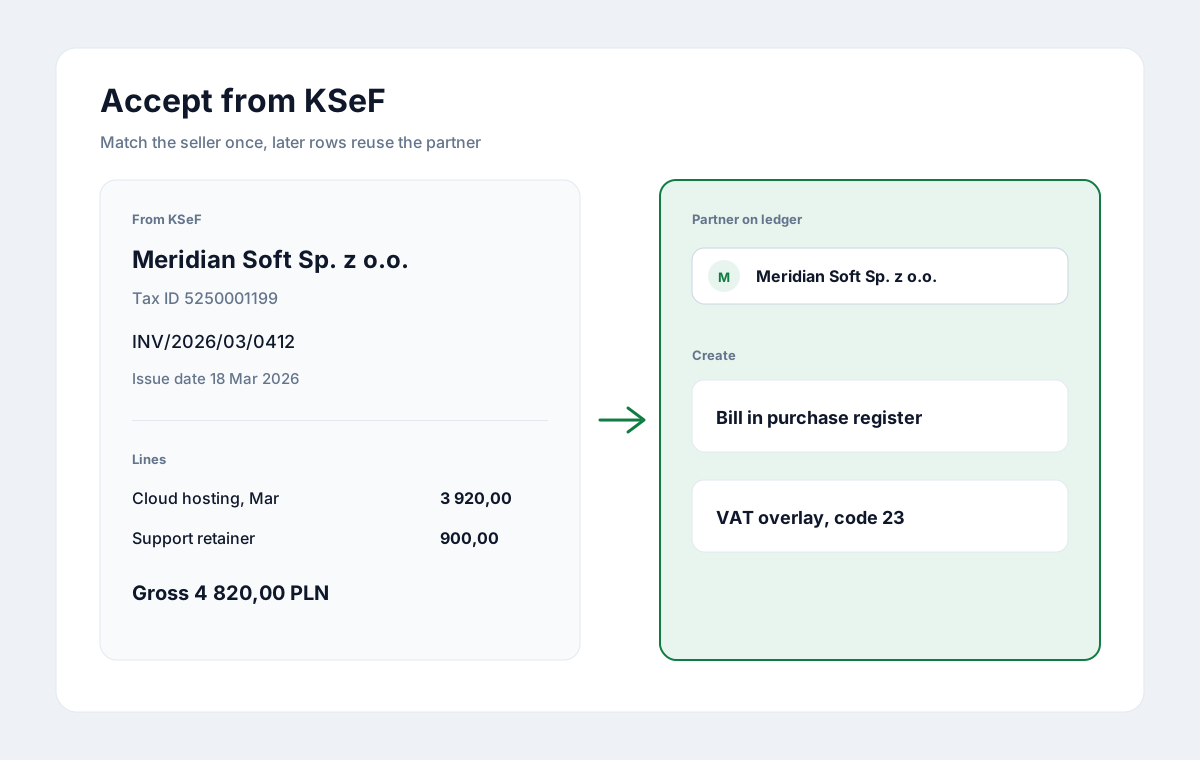
Match tax ID and name once; later rows reuse the partner.
04
Book the purchase
Lines and VAT overlays go into the purchase register without retyping.
From inbox to books
Accept once. Reuse the partner.
Map the seller, keep VAT overlays, and land a bill on the purchase register without retyping lines.
- Seller tax ID and name match a partner on the company
- Structured e-invoice lines become purchase lines
- Accept creates a bill on the same audit trail
In practice
What changes on Thursday.
No retyping
Purchase lines come from the structured e-invoice, not from a PDF you re-key.
One trail
Inbox acceptance, partner, and register share the same audit history.
Client can see it
The owner opens the same company record; nothing lives only in your email.
In the product
What the KSeF path covers.
Connection, inbox, partner map, and booking stay in one company record.
Environments you choose
Test, demo, or production. The certificate stays company-scoped.
Inbox filters that stick
Waiting, bills created, imported, ignored, rejected, errors.
Partner reuse
Match once; later e-invoice rows from the same tax ID reuse the partner.
No second portal
Sync and accept happen next to purchases, not in a side browser tab.
Book a demo with a co-founder.
We meet every customer personally. Tell us about your business. A reply within one business day.